01 introduction
How a dedicated recordings section within a video calling SDK dashboard replaced scattered workflows with centralized tracking, one-click recording, and cloud storage. The redesign cut support tickets by 40% and retained an enterprise client at risk of churning.
Category
Product Design
Client
Dyte
Year
2023
Services
SDK Dashboard
Recording Flows
Storage Configuration
02 the problem
Finding a specific recording meant navigating through multiple dashboard layers, with no indication of whether a file was still uploading, had errored, or was ready for download. Data transfers between sessions and cloud storage were unreliable, and triggering a recording through the API required a long manual process that enterprise teams found increasingly unworkable as call volumes grew.
For enterprise clients managing thousands of recordings weekly, these weren't minor inconveniences. Newton School, a significant revenue account, was actively considering alternatives. The sales team confirmed the pattern: recording management had become a recurring source of friction in renewal conversations. What looked like a feature gap was quietly becoming a retention problem.
03 the approach
Research began with the sales team, the first to hear complaints and spot churn signals. A competitor analysis of SDK dashboards revealed patterns worth adopting. Technical scoping with engineering mapped the storage landscape across Digital Ocean, Azure, and AWS before any wireframes were drawn.
"Developers don't want to manage recordings. They want recordings to manage themselves. Every decision came back to that."
the friction points
No dedicated section. No status visibility. No way to trigger recordings without the API.

04 the solution
The recordings section was the core intervention. Three capabilities, each addressing a distinct failure mode in the existing workflow:
status overview
"Where is my recording right now?"
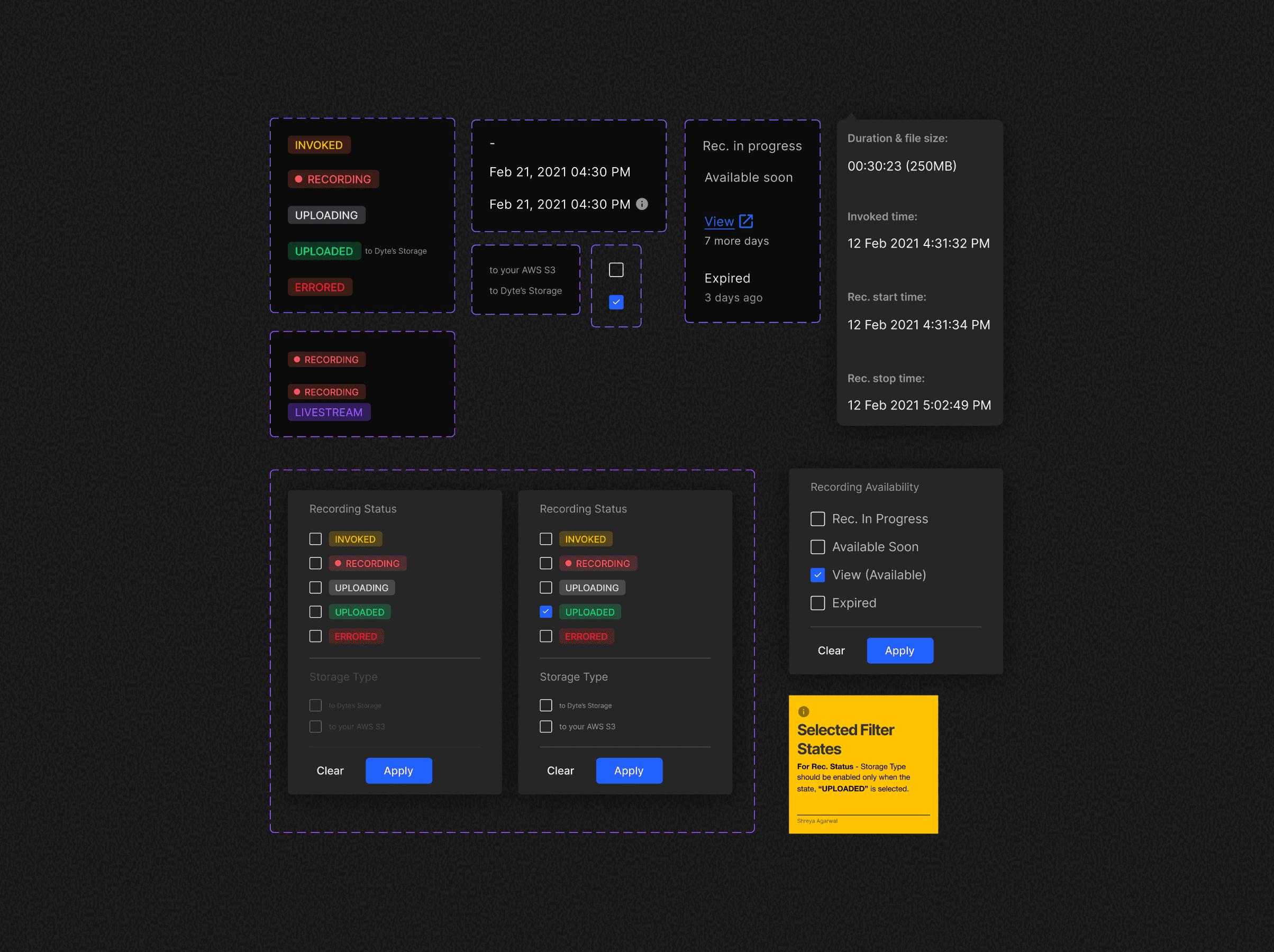
Every recording shows its current state: Invoked, Recording, Uploading, Uploaded, Errored, or Available. No more guessing, no more hunting through nested pages.
one-click recording
"Why should starting a simple recording require a full API call?"
Trigger directly from the live session page. No API wrestling, no context switching.
storage & retrieval
"How do I get my recordings out?"
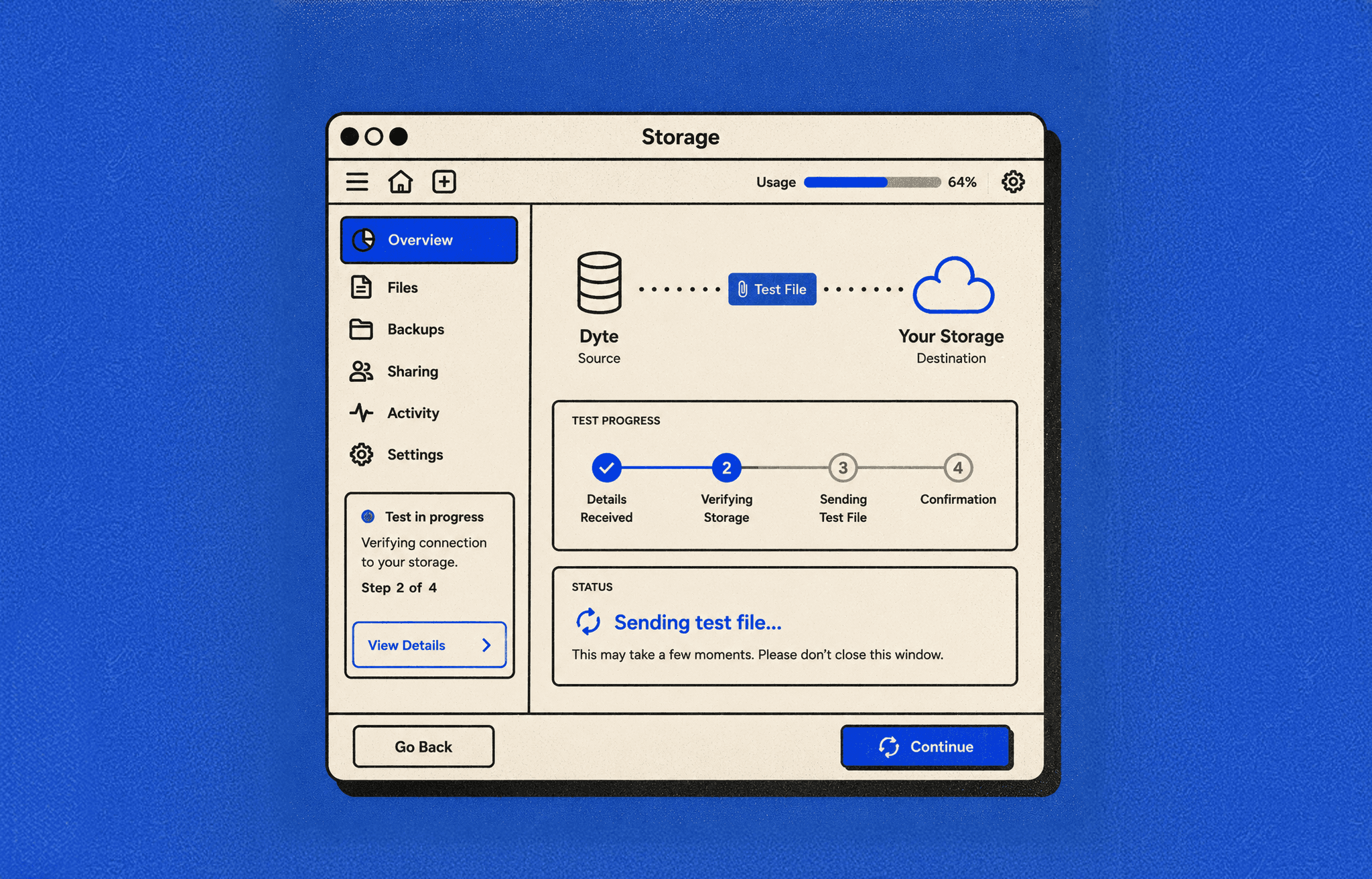
Configure cloud storage, test connections, toggle auto-transfer, and bulk download fifty recordings at once. Setup and retrieval consolidated in one place.


05 interface logic

06 outcomes
support tickets
Recording retrieval tickets dropped by 40%, the clearest signal that findability had fundamentally improved.
efficiency
25% faster end-to-end recording management.
storage errors
Built-in connection testing and verification for Digital Ocean, Azure, and AWS reduced storage failures and removed the guesswork from cloud configuration entirely.
enterprise retention
Newton School, a significant revenue account on the verge of churning, stayed after the recordings overhaul addressed their primary frustration.
developer experience
Recording management became fully self-service.
07 reflection
I shipped a comprehensive feature set in a single release: status tracking, one-click recording, storage configuration, bulk downloads, and session logs. Users responded well, but the launch carried more risk than it needed to. Phasing would have been smarter: ship status overview and one-click trigger first, let usage data inform the next layer, then add storage and bulk operations. The lesson was about sequencing value, not reducing scope. Getting the right things into hands first matters more than shipping everything at once.